Track Task Progress
Once a task is assigned, you can monitor its progress through subtask completion, status transitions, and the agent's conversation log.
Prerequisites
- An existing task with at least one subtask (step)
Steps
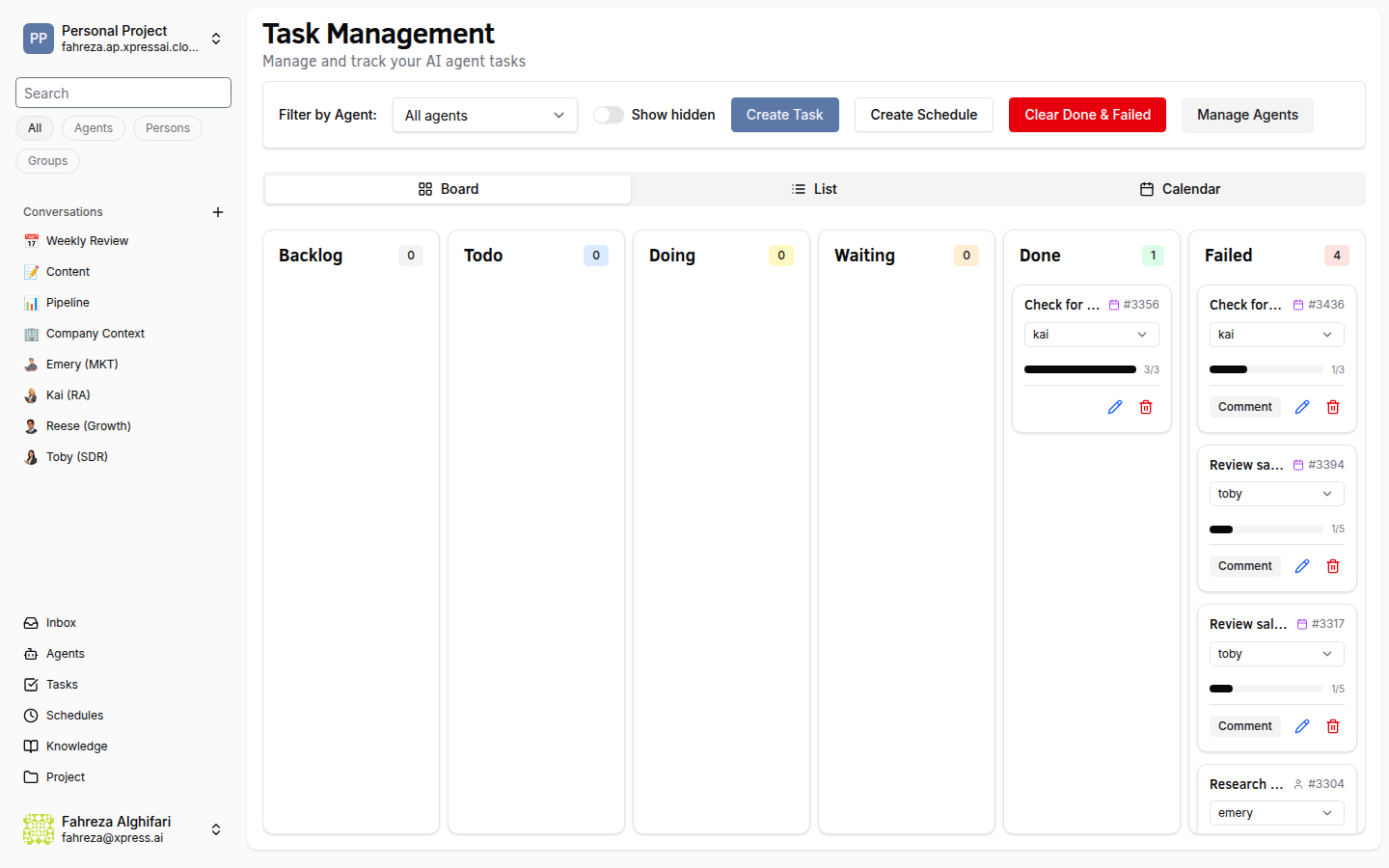
1. Open the task detail view
Navigate to Tasks in the sidebar and click on the task you want to track. The detail view shows the full task information.
2. Check subtask statuses
Each subtask (step) moves through its own lifecycle:
| Status | Meaning |
|---|---|
| Pending | Not yet started |
| In Progress | The agent is actively working on it |
| Completed | Finished successfully |
| Skipped | The agent determined this step was not needed |
The overall progress bar at the top of the task calculates completion from the ratio of completed (and skipped) subtasks to total subtasks.
3. Monitor the task status
Tasks move through these statuses:
Backlog -- created but not yet scheduled. Todo -- queued for the agent to pick up. Doing -- the agent is actively working on it. Waiting -- the agent needs human input (check your Inbox). Done -- all work is complete. Failed -- the agent encountered an error it could not recover from. To retry a failed task, move it back to Todo status so the assigned agent picks it up again. You can also reassign it to a different agent from the task detail view.
4. Review the conversation tab
Click the Conversation tab on the task detail view. This shows the agent's work log -- a chronological record of what the agent did, which tools it called, and what results it produced. This is the best way to understand how the agent approached the task.
Verify
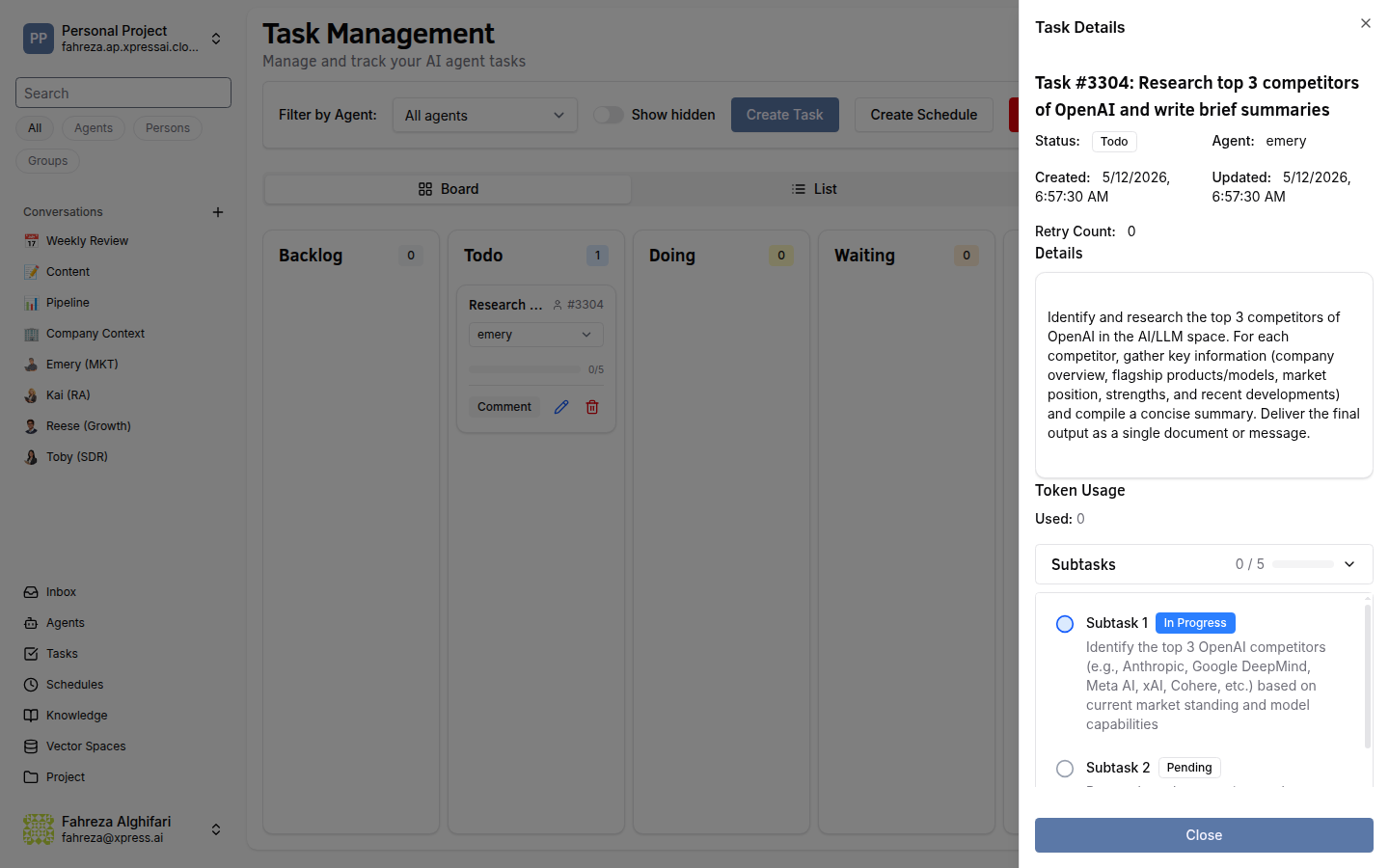
- The progress bar reflects the current state of subtask completion.
- The task status matches where the agent is in its workflow.
If a task is stuck in Doing for an unusually long time, check the conversation tab for errors or open the agent's logs for more detail.
Status transitions happen automatically as the agent works. You can also manually change a task's status by dragging it in the Kanban view or using the status dropdown in the detail view.