Create a Platform API Token
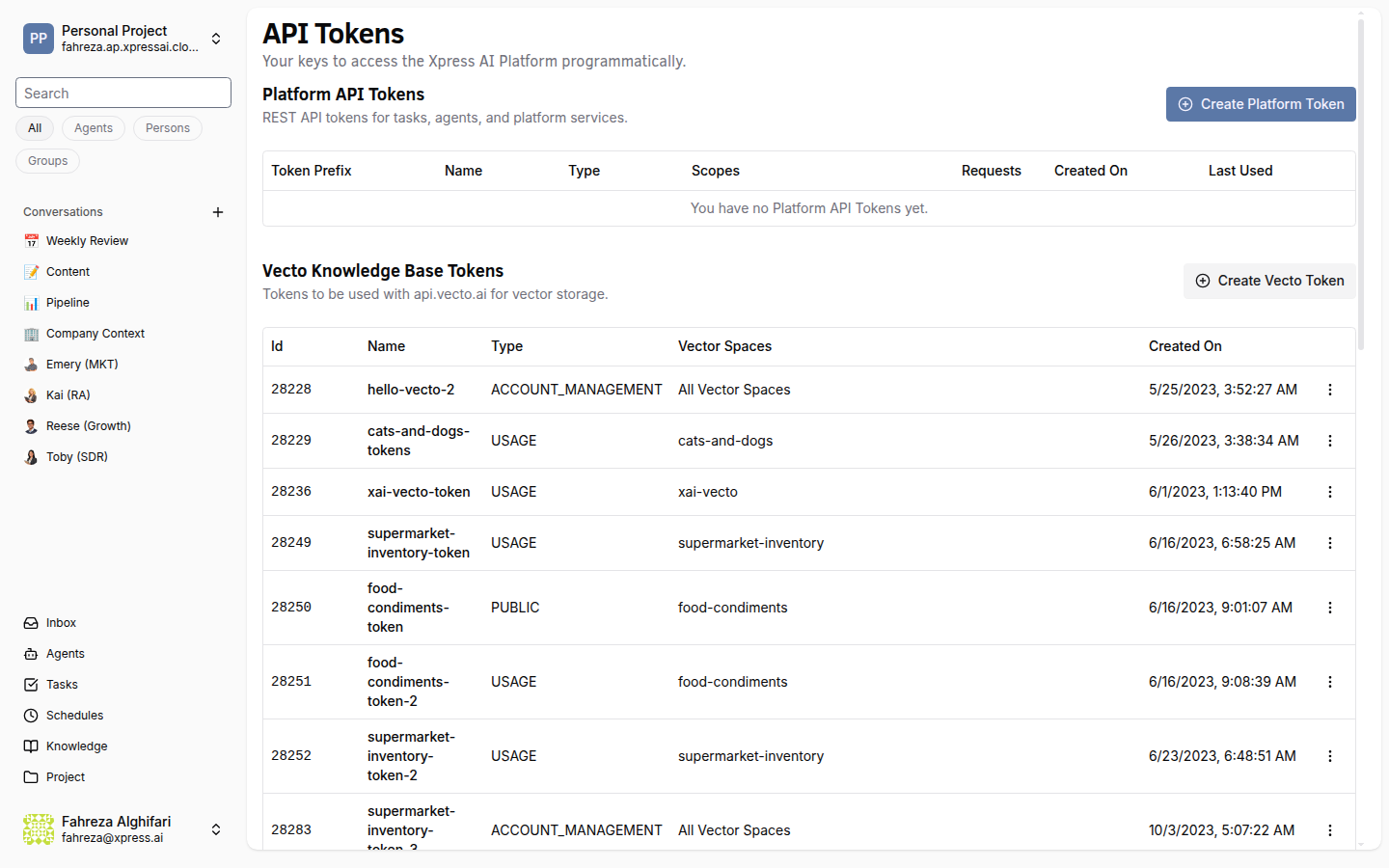
API tokens let external applications authenticate with the XpressAI Platform API. Use tokens to send messages, manage tasks, and integrate with external systems.
Prerequisites
- You are signed in to the XpressAI Platform.
Steps
- Navigate to the Tokens section from the sidebar.
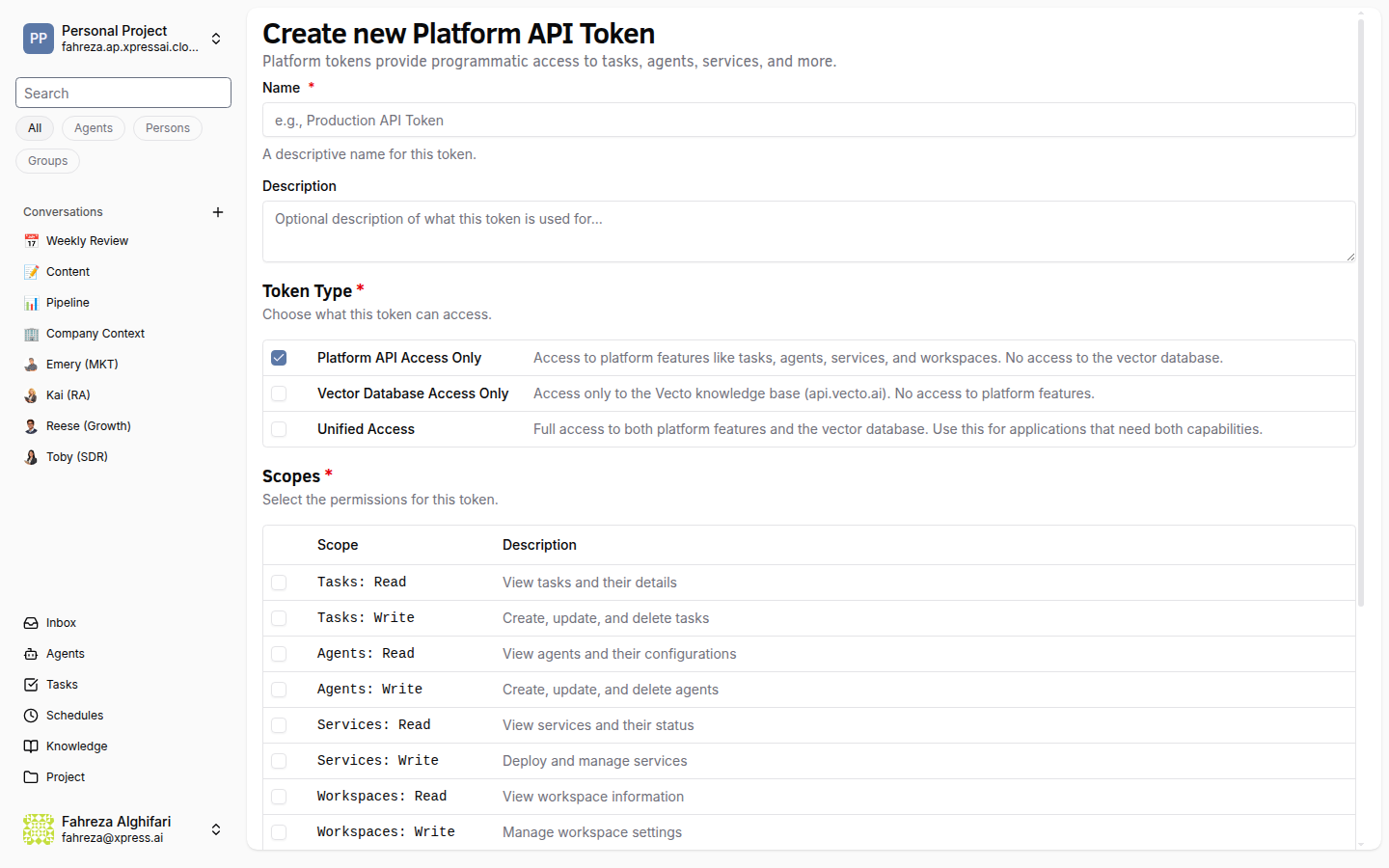
- Click Create.
- Enter a name for the token (for example, "CI Pipeline" or "Monitoring Script").
- Select the scopes the token should have:
| Scope | Description |
|---|---|
messaging:read | Read messages and conversations. |
messaging:write | Send messages to conversations. |
task:read | Read task status and results. |
task:write | Create and manage tasks. |
- Click Create.
- Copy the token immediately. It is displayed only once and cannot be retrieved later.
Using the token
Include the token in the Authorization header of your API requests:
Authorization: Bearer <your-token>
For example, to send a message to a conversation using curl:
curl -X POST https://platform.xpress.ai/api/projects/{projectId}/conversations/{conversationId}/messages \
  -H "Authorization: Bearer <your-token>" \
  -H "Content-Type: application/json" \
  -d '{"content": "Hello from the API"}'
warning
The token is shown only once at creation time. If you lose it, you must delete the token and create a new one.
tip
Give each token a descriptive name that identifies its purpose and the system using it. This makes it easier to audit and revoke tokens later.
Verify
- The new token appears in the Tokens list with its name and scopes.
- You can make an authenticated API request using the token and receive a successful response.