Upload Documents to a Knowledge Base
Add documents to a vector space so agents can search and retrieve information from them. Documents are automatically chunked and embedded on upload.
Prerequisites
- You are signed in to the XpressAI Platform.
- You have an existing vector space (see Create a Vector Space).
Steps
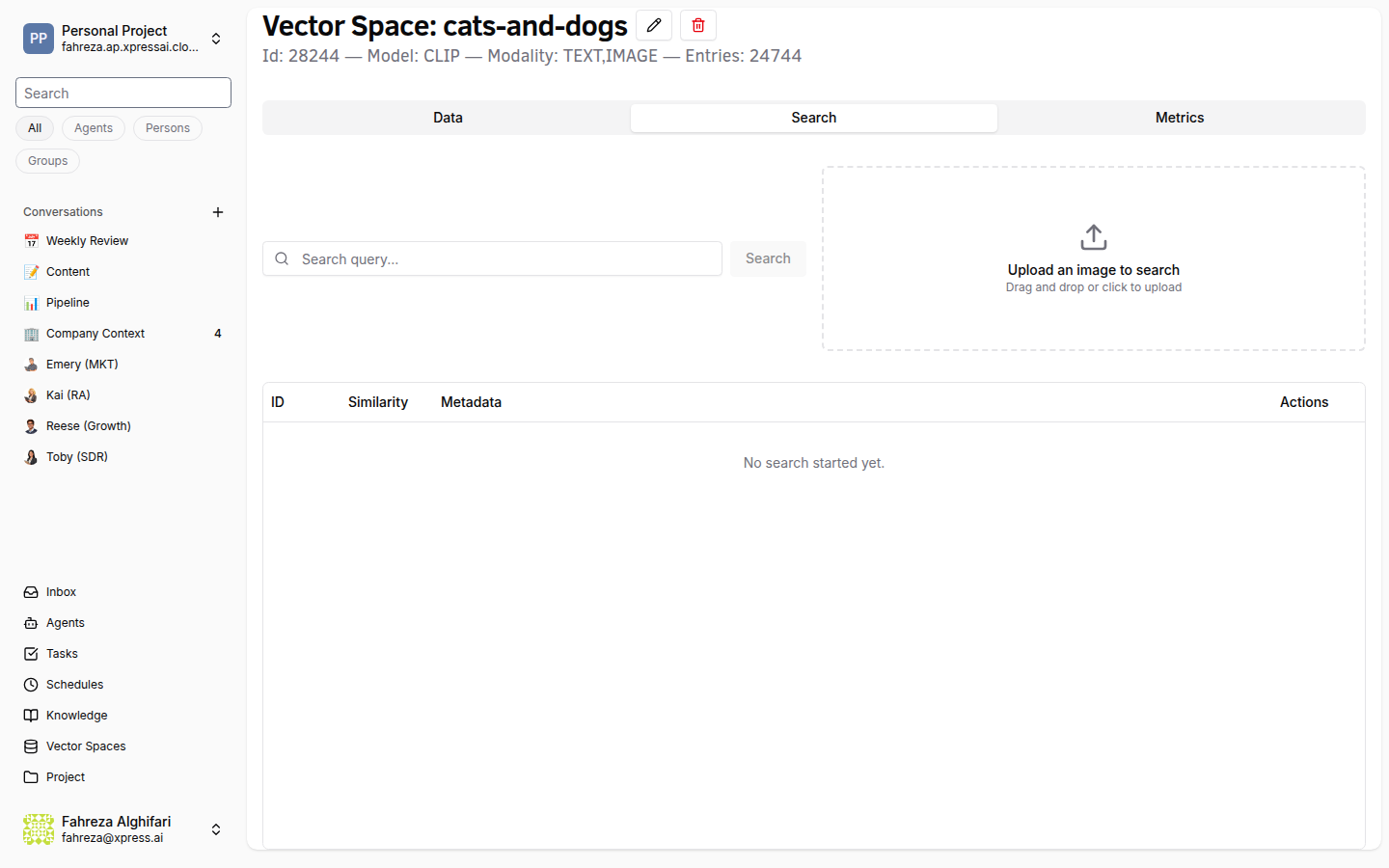
- Navigate to the Knowledge section from the sidebar.
- Select the vector space you want to add documents to.
- Click Upload.
- Drag and drop files into the upload area, or click to browse your file system.
- Wait for the upload and processing to complete.
Supported formats
| Format | Extension |
|---|---|
.pdf | |
| Plain text | .txt |
| Markdown | .md |
| Word documents | .docx |
info
Documents are automatically chunked into smaller segments and converted into vector embeddings using the model you selected when creating the space. This process happens in the background after upload.
warning
Large documents may take longer to process. The document status will update once embedding is complete.
Verify
- Uploaded documents appear in the vector space's document list.
- Document status shows as Indexed once processing is complete.
- You can search the vector space and get results from the uploaded content (see Search Knowledge Base).