Task Statuses
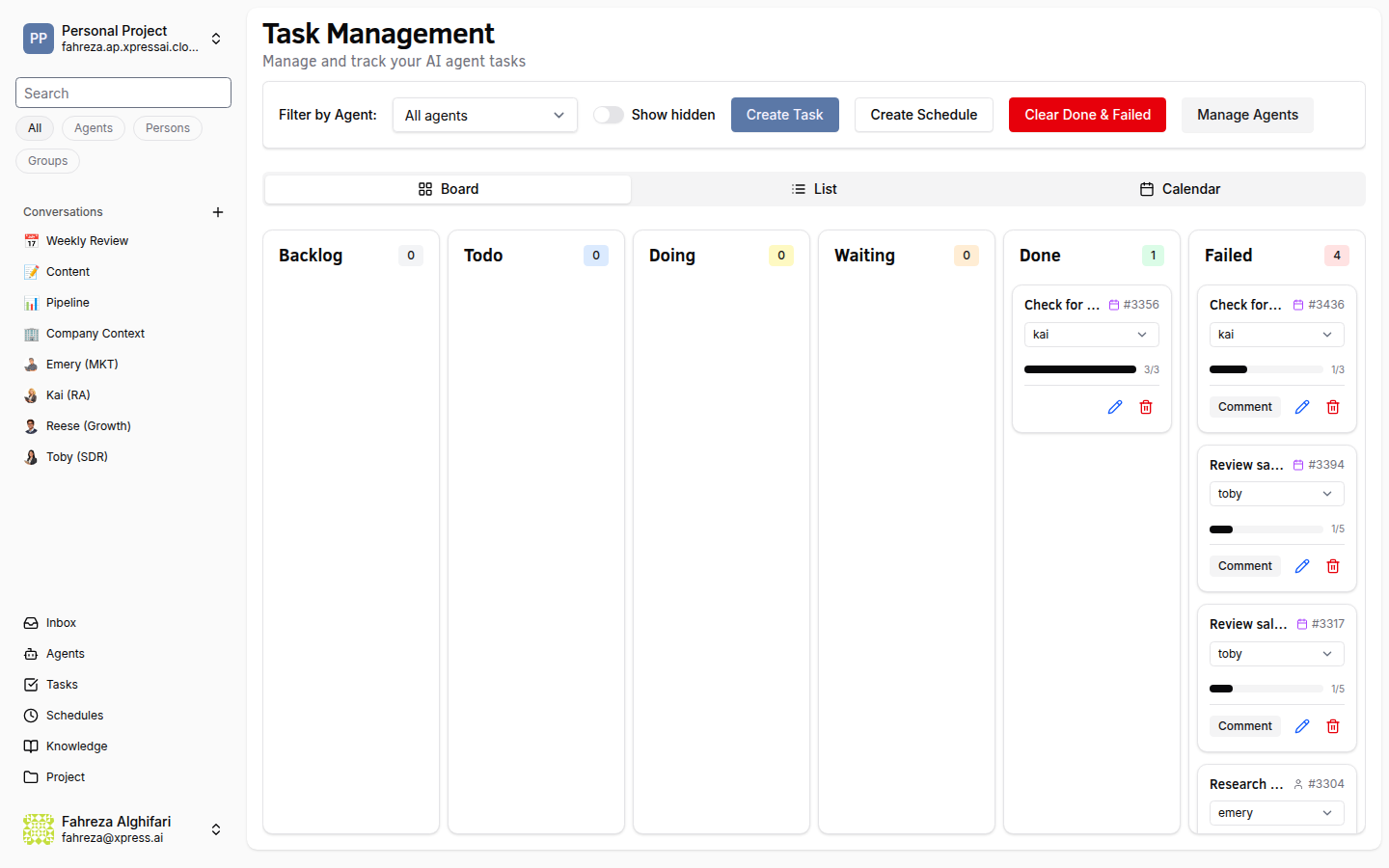
Every task moves through a well-defined lifecycle. Understanding these statuses helps you track work and respond to agents when they need input.
Task Status Reference
| Status | Description |
|---|---|
| Backlog | Task has been created but is not yet ready to be worked on. |
| Todo | Task is ready to be picked up by an agent. |
| Doing | An agent is actively working on the task. |
| Waiting | The agent needs human input. The task appears in your Inbox. |
| Done | Task completed successfully. For tasks with steps, all steps have been completed. Tasks with zero steps can also be marked Done directly. |
| Failed | The agent could not complete the task (e.g., max turns exceeded or an unrecoverable error). |
Subtask Statuses
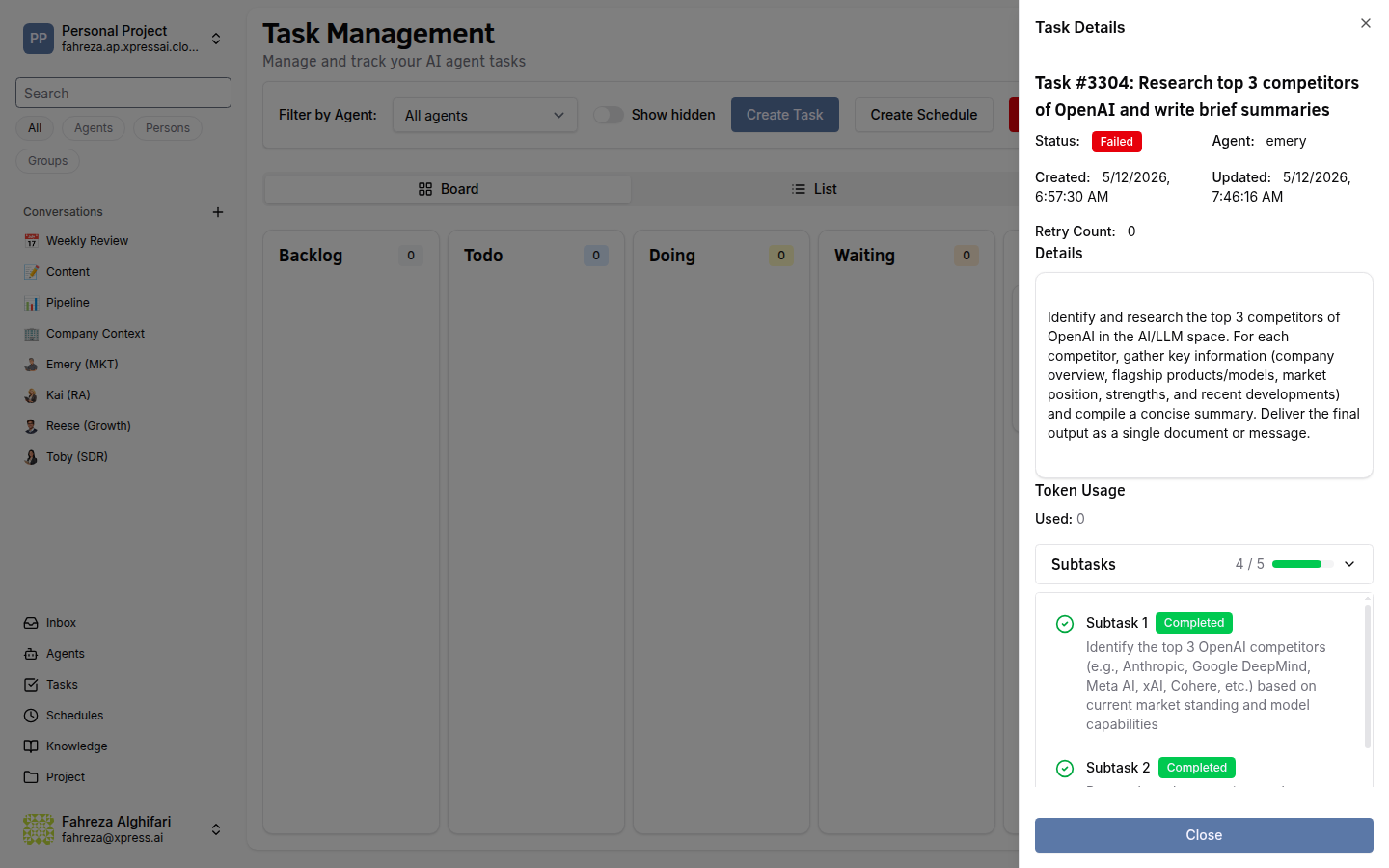
Individual subtasks within a task have their own status:
| Subtask Status | Meaning |
|---|---|
pending | Not yet started. |
in_progress | Currently being worked on. |
completed | Finished successfully. |
skipped | Intentionally skipped by the agent. |
State Machine
The diagram below shows all valid transitions between task statuses.
Transition Rules
- A task always begins in Backlog.
- Moving from Backlog to Todo signals that the task is ready for work.
- Todo to Backlog: A task can be moved back to Backlog if it is not yet ready.
- Once an agent picks up a Todo task, it transitions to Doing.
- From Doing, three outcomes are possible:
- Waiting -- the agent pauses and requests human input.
- Done -- the task is complete (all steps finished, or task has zero steps and is marked done directly).
- Failed -- the agent encountered an error or exceeded the turn limit.
- A Waiting task returns to Doing after the user provides the requested input.
- Failed to Todo: A failed task can be retried by moving it back to Todo, which allows an agent to pick it up again.
Disallowed Transitions
The following transitions are not allowed: Done to any other status, Doing to Backlog, Waiting to any status other than Doing. Tasks in the Done state are terminal and cannot be reopened.
Turn Limit
Each task has a turn limit of 15 turns minimum, scaling with step count using the formula: max(15, stepCount * 5). For example, a task with 4 steps gets 20 turns. If the agent exhausts its turns without completing the task, the status moves to Failed.
Where Statuses Appear
| View | What You See |
|---|---|
| Tasks (Kanban) | Columns correspond to statuses. Drag cards to transition manually. |
| Tasks (List) | Status shown as a badge on each row. |
| Inbox | Only tasks in Waiting status appear here. |