Conversation Types
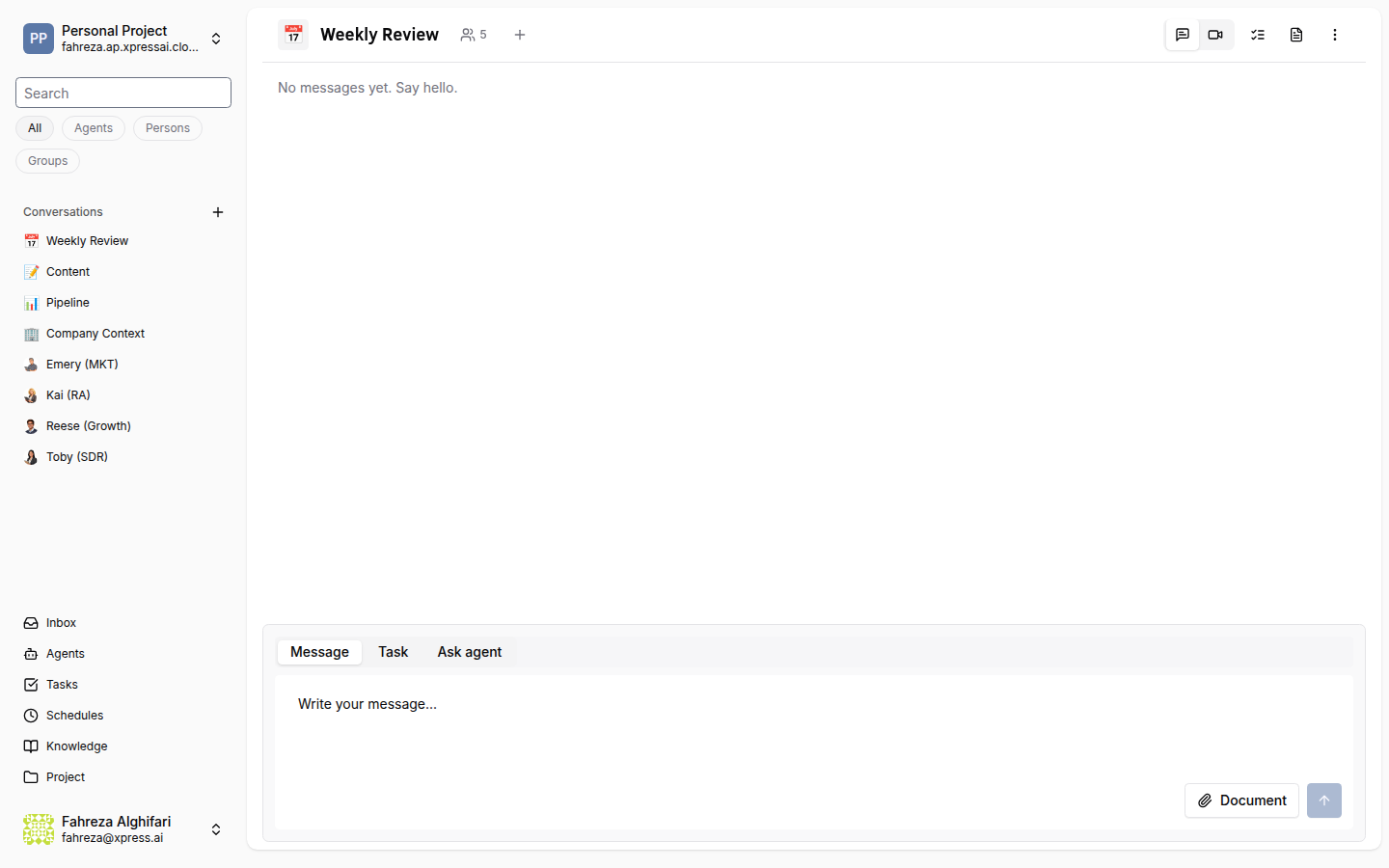
Conversations are the primary way to communicate with agents and team members on the platform. There are three distinct conversation types.
Types at a Glance
| Type | Participants | Key Characteristics |
|---|---|---|
| Group | Multiple users and/or agents | Named channel with an icon. Currently visible to all project members (private group conversations are not yet supported). |
| Direct Message (DM) | Exactly 2 users | Private 1-on-1 conversation between two human users. |
| Agent DM | 1 user + 1 agent | Private 1-on-1 conversation between a user and an agent. |
Conversation Keys
Every conversation is identified by a key that determines its scope. These key types are conceptual categories used by the platform to determine conversation behavior and visibility -- they are not stored as a direct database field but are derived from the conversation's configuration (participants, channel settings, etc.).
| Key Type | Scope | Example |
|---|---|---|
global | Project-wide channel, visible to all members | #general, #engineering |
per_room | Scoped to a specific room or context | Room-specific discussions |
direct_message | Private between two participants | DMs and Agent DMs |
Participants
Both users and agents can be participants in a conversation. Each participant has a display name and avatar shown in the conversation UI.
Messages
Messages in any conversation type support:
| Feature | Description |
|---|---|
| Text | Plain text and rich content. |
| File attachments | Upload and share files directly in the conversation. |
| Mentions | Tag a user with @user or an agent with @agent to notify them. |
Read State
Read state is tracked per-user, per-conversation. Unread conversations are highlighted in the sidebar, and an unread count badge is displayed.
Typing Indicators
When an agent is processing a message or generating a response, a typing indicator is shown to all other participants in the conversation.
Agent DMs are the fastest way to interact with a specific agent. You can start one from the agent's profile page or from the Conversations sidebar.